Design Technology That Serves Your Goals, Not Hijacks You
When Kim, a mid-level manager, realized her hour-long morning scroll was eating into her strategy sessions, she decided to fight back. She removed Instagram and Facebook from her home screen, leaving only a single social-app folder behind ‘‘Button One’’—and scheduled two 15-minute check-ins each day. She also disabled infinite scroll on her news-app, forcing herself to actively tap ‘‘load more.’’ Within a week, she noticed she had reclaimed three additional hours per week. Her inbox replies were sharper, and she no longer drifted off in meetings. Underlying this was a simple business insight: by reshaping the environment that was hijacking her attention, she increased her productivity and reclaimed valuable creative time.
You can make those changes today—hide distracting apps, shut off infinite scroll, batch your social check-ins and name your intent before you dive in. Each shift sends a clear message that you control your time, and you’ll be amazed how quickly meetings feel less of a blur and ideas flow more freely. Try it this afternoon.
What You'll Achieve
You’ll cut digital distractions by up to 50%, protect five extra hours per week, and foster deeper focus for strategic thinking.
Reshape Your Digital Environment
Remove infinite scroll
Delete or disable the infinite-scroll feature in your most used apps. Force a manual reload so you decide whether to keep going.
Batch your social check-ins
Pick two fixed daily times—one morning, one evening—for all social media. Log out immediately after and close the browser tab.
Practice “intent licensing”
Before opening any app, write down your purpose. At the end of a session, score whether you achieved it. Adjust your next session accordingly.
Curate your home screen
Keep only essential apps on your phone’s first page. Move everything else—especially addictive sites—into folders on the second page.
Reflection Questions
- Which app drains my attention most, and how can I disable its infinite scroll?
- What two times of day feel best for a quick social-media check-in?
- How will I measure whether my ‘‘intent licensing’’ improved my session outcomes?
Personalization Tips
- At work, install browser extensions like “News Feed Eradicator” to hide distracting feeds.
- On your phone, set all notifications to “silent” for nonessential apps and use Do Not Disturb at night.
- As a student, replace social-media bookmarks with research tool shortcuts, so you stay on topic.
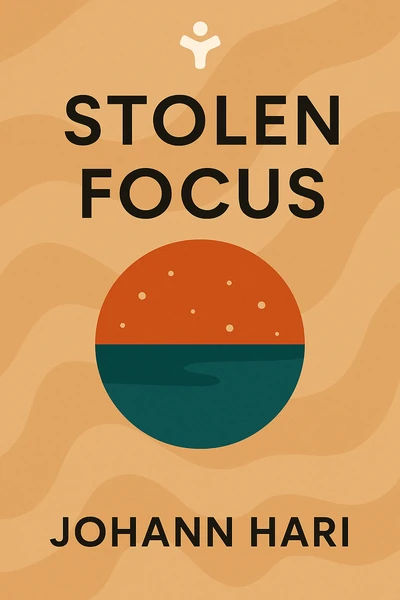
Stolen Focus: Why You Can't Pay Attention- and How to Think Deeply Again
Ready to Take Action?
Get the Mentorist app and turn insights like these into daily habits.