Design right hooks that work on a phone in ten seconds or less
Most calls to action fail because they ask the brain to do three things at once: decode vague copy, hunt for the next step, and trust an unknown page. On mobile, that’s a losing bet. People are standing in line, juggling bags, and their screen is smudged. Your hook has to be legible, obvious, and low‑friction. One action, one benefit, one button.
Think of the last time you bailed on a checkout. The headline was fluffy, the form wanted your zodiac sign, and the button looked like wallpaper. Compare that to a page that says, “Get the Saturday class pass in 20 seconds,” shows the studio room, and offers Apple Pay. You can feel your thumb relax. The dopamine isn’t in the graphic, it’s in the instant clarity of what you’ll get and how fast you’ll get it.
Behavioral economics calls this reducing cognitive load and decision friction. The Fogg Behavior Model says behavior happens when motivation, ability, and prompt converge. Your right hook’s job is to raise ability (make it easy) while the jabs built motivation. Keep it stupid simple, especially on phones.
Choose one single action you want people to take and strip away every extra link. Write a seven‑word benefit headline, place a big button above the fold, and shorten the form to the bare minimum, offering Apple or Google Pay if you can. Add a quick visual preview so people feel the result before they tap, then test it on your own phone with one thumb. If you can’t complete it comfortably in ten seconds, it’s not ready. Tighten it up and try again tonight.
What You'll Achieve
Internally, learn to prioritize clarity over cleverness. Externally, see higher click‑through and completion rates on mobile by removing friction and highlighting tangible benefits.
Make one‑tap CTAs stupid simple
Cut to one action
Decide the single behavior you want—buy, book, RSVP, download—and remove all competing buttons or links on that page.
Front‑load the benefit
Use a seven‑word headline that says the win (“Get 10 healthy dinners in 10 minutes”). Put it above the fold with a big button.
Shorten the form
Ask only for what you truly need on mobile. Email and payment, or just email if it’s a lead. Offer Apple/Google Pay where possible.
Preview the result
Show a picture, 10‑second clip, or first page so the brain feels the outcome before tapping. This reduces uncertainty and boosts action.
Reflection Questions
- What’s the one action I actually want here?
- Can someone complete this with one thumb in ten seconds?
- What two fields can I delete from my form today?
Personalization Tips
- Tutor: “Book a 20‑minute test‑strategy sprint” with one date picker and pay button.
- Gym: “Grab 3 guest passes for this weekend” with Apple Pay and barcode delivered instantly.
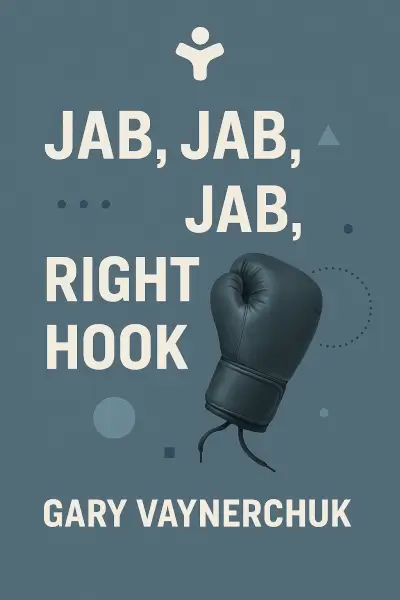
Jab, Jab, Jab, Right Hook: How to Tell Your Story in a Noisy Social World
Ready to Take Action?
Get the Mentorist app and turn insights like these into daily habits.