Notifications hijack your focus through Pavlovian conditioning
Every time your phone buzzes or dings, a tiny Pavlovian bell rings in your brain, pulling your attention away from whatever you’re doing. Researchers compare digital alerts to the classical conditioning experiment where dogs learned to salivate at a metronome’s tick. In the smartphone era, we’ve trained ourselves to do the same—except we’re the ones drooling over dopamine hits.
A study from the University of Michigan found that university students received a median of 237 notifications per day. That’s roughly one distraction every six minutes of an eight-hour day. Even mild interruptions take an average of twenty-five minutes to recover from, according to attention researcher Gloria Mark. Imagine trying to write a paper while your phone is playing Whac-A-Mole with your attention.
What’s worse, the constant anticipation of a ping heightens cortisol, the stress hormone, leaving you feeling edgy and anxious. It’s a feedback loop: you check your phone to relieve stress, only to get more alerts that escalate it.
But neuroscience shows that you can retrain this response. By eliminating nonessential alerts, you break the conditioned link between every buzz and reflexive attention. You take control back from technology deployed to monetize your attention.
Begin by auditing all the times your phone buzzes or lights up, then ruthlessly disable every alert that’s not absolutely essential. Create a VIP list so only the people and apps you truly need can get through. Over the next week, notice how much of your stress and jumpiness fades—because you have finally silenced that Pavlovian bell.
What You'll Achieve
You’ll regain sustained focus by breaking conditioned distraction loops, leading to less stress and more effective work blocks. Externally, fewer alerts mean fewer interruptions, boosting productivity.
Silence your phone’s Pavlovian bell
Audit all alerts and badges
Open your phone’s notifications settings and list every notification source—apps, system alerts, badges. Seeing them all at once reveals how many distractions you face daily.
Disable everything nonessential
Turn off sounds, vibrations, and lock-screen banners for any app that isn’t crucial—calls from family, urgent work messages, or medical alerts.
Whitelist VIP contacts only
Create a VIP list in your messaging and email apps so only key people can ping you. All others go straight to silent archives.
Test and adjust
Over the next few days, notice any alerts you still miss. Tweak your list to strike a balance: fewer distractions, but no emergencies slipped by.
Reflection Questions
- Which notifications truly add value to your day?
- How often do you check your phone after an alert?
- What emotions arise when you silence a recurring alert?
- What would your day look like with half as many interruptions?
Personalization Tips
- Enable notifications only for your 911 or urgent-care app if you have health conditions.
- In a work context, whitelist only your manager’s email and your calendar reminders.
- If you’re parenting teens, allow only your child’s calls after bedtime.
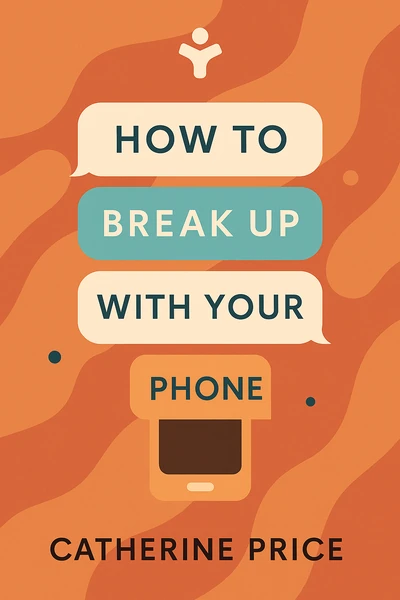
How to Break Up with Your Phone: The 30-Day Plan to Take Back Your Life
Ready to Take Action?
Get the Mentorist app and turn insights like these into daily habits.