Adopt a philosophy of tech use so tools serve your values
Most people add apps because they seem useful in the moment, then wake up months later wondering why they feel rushed and scattered. A simple philosophy flips that script. Start by writing five values you want more of—maybe unrushed meals with family, fewer anxious nights, a healthier body, real progress on a skill. The paper feels rough under your pen, and that matters. It slows you down enough to see what’s actually important, not what the glowing rectangle insists is urgent.
Next, inventory your tools. List the sites, apps, and devices that fill your days. Mark how long you spend and how they make you feel. One small anecdote: a designer thought Twitter “helped with trends,” but her log showed 7 hours a week and a constant edgy buzz. She replaced it with a 30‑minute Friday scan of three curated newsletters, and the buzz dropped. I might be wrong, but most of us have a few of these hidden leaks.
Then apply a three‑question screen to each tool. Does it directly support a deep value? Is it the best way to do so? What explicit rules will constrain its use? “Directly” is a high bar. Liking friends’ photos isn’t the same as being a present friend. If a tool fails, drop it or swap it for a better method. If it passes, write operating procedures that specify when, where, and how you’ll engage. These rules shift the tool from attention thief to loyal assistant.
Finally, schedule a two‑week review. Procedures are living documents, not stone tablets. If a rule feels too tight, adjust it. If an app keeps breaking your rules, let it go. The shift you’ll notice isn’t just time saved. It’s a steadier mind and the relief of deciding once. In behavioral science terms, you’re moving from ad hoc choices (high decision fatigue) to identity‑based rules (low friction), and you’re shrinking ambiguity, a big driver of anxiety and overuse.
Define five core values and use them as your North Star. Inventory every app, site, and device you use, including weekly hours and how each one makes you feel. Run each through a strict screen: it must directly serve a value, be the best way to do so, and have clear operating procedures for when, where, and how you’ll use it. Write those rules in plain language and keep them visible. Two weeks from today, review what worked, what didn’t, and either tighten rules or uninstall. Treat this like tuning a bike, not a one‑time purge. Give it a try tonight.
What You'll Achieve
Internally, develop calm confidence by aligning technology with identity instead of impulse. Externally, reduce low‑value screen time by hours per week and channel that time into higher‑return activities with clear rules that stick.
Draft your personal Tech North Star
Name your top 5 core values
Write five values you want more of this year (e.g., family presence, craftsmanship, learning, health, service). Keep them visible. These are your filter for every digital choice.
List all tools you regularly use
Inventory apps, sites, devices, and subscriptions. Note purpose, weekly hours, and emotional after‑taste (energized, neutral, drained). Be honest—screen time reports help.
Run the Minimalist Screen on each tool
Ask: 1) Does this directly support a deeply held value? 2) Is it the best way to support that value? 3) What operating procedures will constrain its use? If a no appears, remove or replace.
Write explicit operating procedures
For each kept tool, define when, where, and how you’ll use it. Example: “Check Instagram Saturdays 10–10:30 a.m. on laptop only, follow <20 inspiring artists, no comments.” Post this list by your desk.
Schedule a 14‑day review
After two weeks, compare actual use to your procedures. Tweak or uninstall. Repeat monthly until the friction drops and the benefits feel obvious.
Reflection Questions
- Which five values do I want my tools to serve this year?
- Where do I feel a mismatch between my values and my current digital habits?
- What rule would make the biggest difference if I followed it for two weeks?
- Which tool keeps breaking my rules, and what am I afraid to lose if I cut it?
Personalization Tips
- [Work] A sales lead keeps LinkedIn only on desktop and checks it Tue/Thu 3–3:30 p.m. to triage messages and research accounts.
- [Family] A parent defines “no‑phone dinner to bedtime” and moves the charger to the hallway.
- [Creative] A photographer follows 12 masters on one RSS reader instead of scrolling multiple feeds.
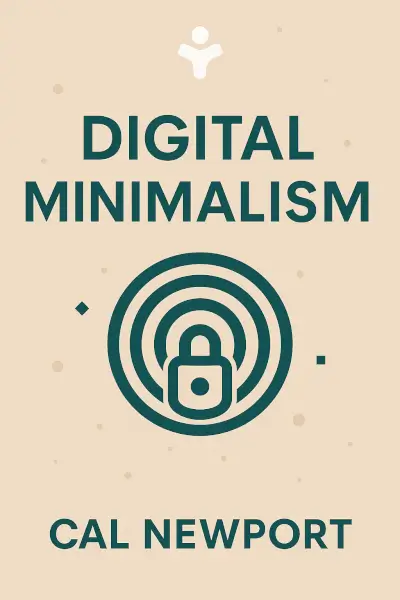
Digital Minimalism: Choosing a Focused Life in a Noisy World
Ready to Take Action?
Get the Mentorist app and turn insights like these into daily habits.